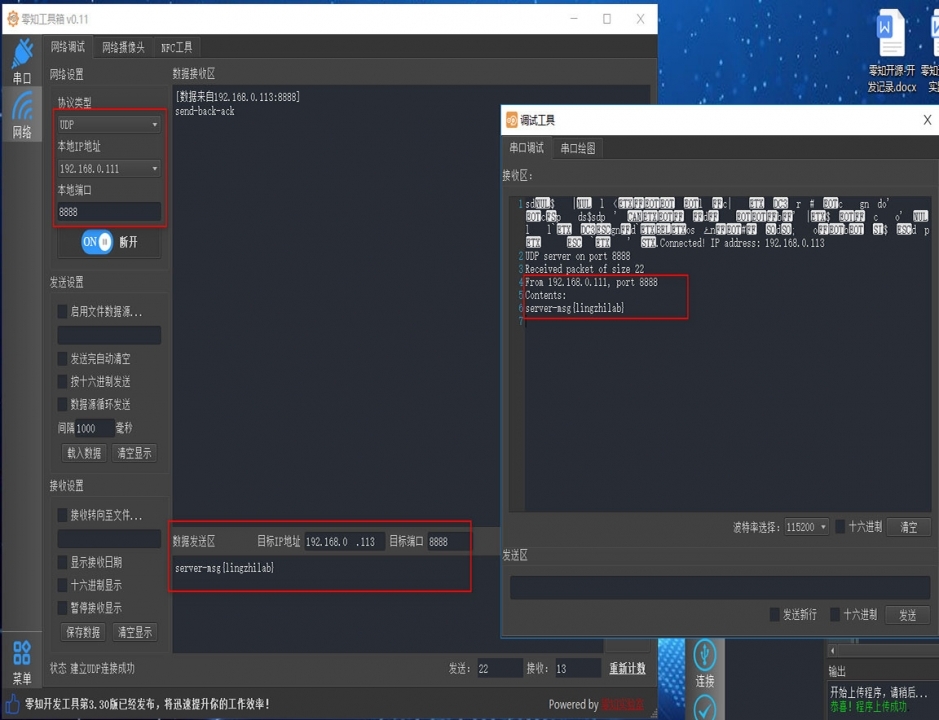
本帖主要講解ESP8266 WIFI功能關于UDP協議網絡傳輸的應用,這里演示了ESP8266在STATION模式下UDP通信的示例:
1、硬件
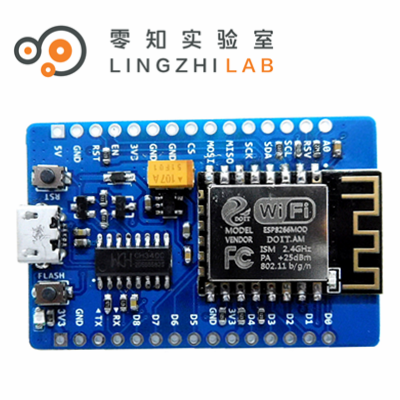
零知ESP8266
2、軟件
(1)代碼如下:
- /**********************************************************
- * 文件: esp8266-udp-clinet.ino by 零知實驗室
- * -^^- 零知開源,讓電子制作變得更簡單! -^^-
- * 時間: 2019/06/17 11:01
- * 說明:
- ************************************************************/
- #include <ESP8266WiFi.h>
- #include <WiFiUDP.h>
- #define SSID "xx"
- #define PSSWD "xx"
- unsigned int UDPPort = 8888; // local port to listen on
- char packetBuffer[255]; //buffer to hold incoming packet
- char replyBuffer[] = "send-back-ack"; // a string to send back
- WiFiUDP Udp;
- // 復位或上電后運行一次:
- void setup() {
- //在這里加入初始化相關代碼,只運行一次:
- Serial.begin(115200);
- WiFi.mode(WIFI_STA);
- WiFi.begin(SSID, PSSWD);
- while (WiFi.status() != WL_CONNECTED) {
- Serial.print('.');
- delay(500);
- }
- Serial.print("Connected! IP address: ");
- Serial.println(WiFi.localIP());
- Serial.printf("UDP server on port %d\n", UDPPort);
- Udp.begin(UDPPort);
-
- // Udp.beginPacket("192.168.4.1", UDPPort);//send ip to server
- // char ipBuffer[255];
- // WiFi.localIP().toString().toCharArray(ipBuffer, 255);
- // Udp.write(ipBuffer);
- // Udp.endPacket();
- // Serial.println("Sent ip adress to server");
- }
- //一直循環執行:
- void loop() {
- // 在這里加入主要程序代碼,重復執行:
- // if there's data available, read a packet
- int packetSize = Udp.parsePacket();
- if (packetSize) {
- Serial.print("Received packet of size ");
- Serial.println(packetSize);
- Serial.print("From ");
- IPAddress remoteIp = Udp.remoteIP();
- Serial.print(remoteIp);
- Serial.print(", port ");
- Serial.println(Udp.remotePort());
-
- // read the packet into packetBufffer
- int len = Udp.read(packetBuffer, 255);
- if (len > 0) {
- packetBuffer[len] = 0;
- }
- Serial.println("Contents:");
- Serial.println(packetBuffer);
-
- // send a reply, to the IP address and port that sent us the packet we received
- Udp.beginPacket(Udp.remoteIP(), Udp.remotePort());
- Udp.write(replyBuffer);
- Udp.endPacket();
- }
- }
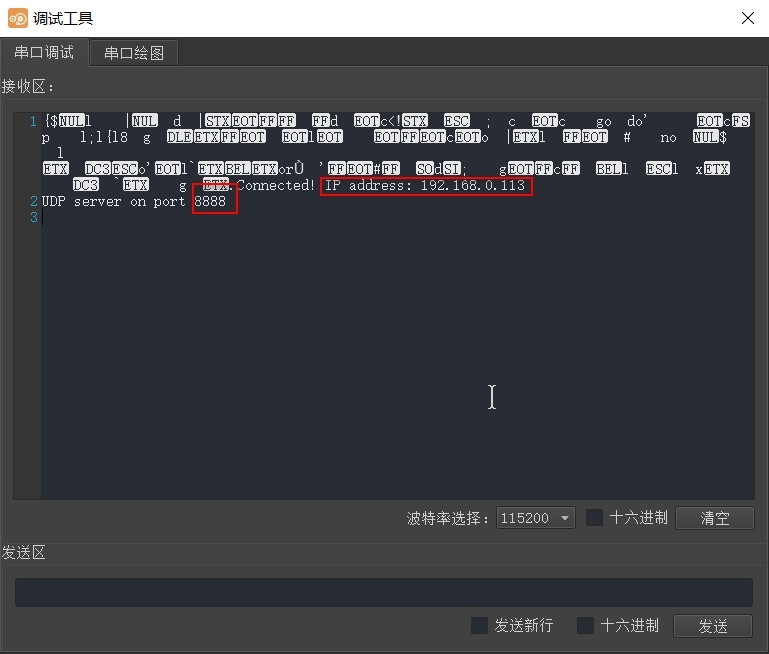
上面顯示了ESP8266的IP地址和端口號信息。
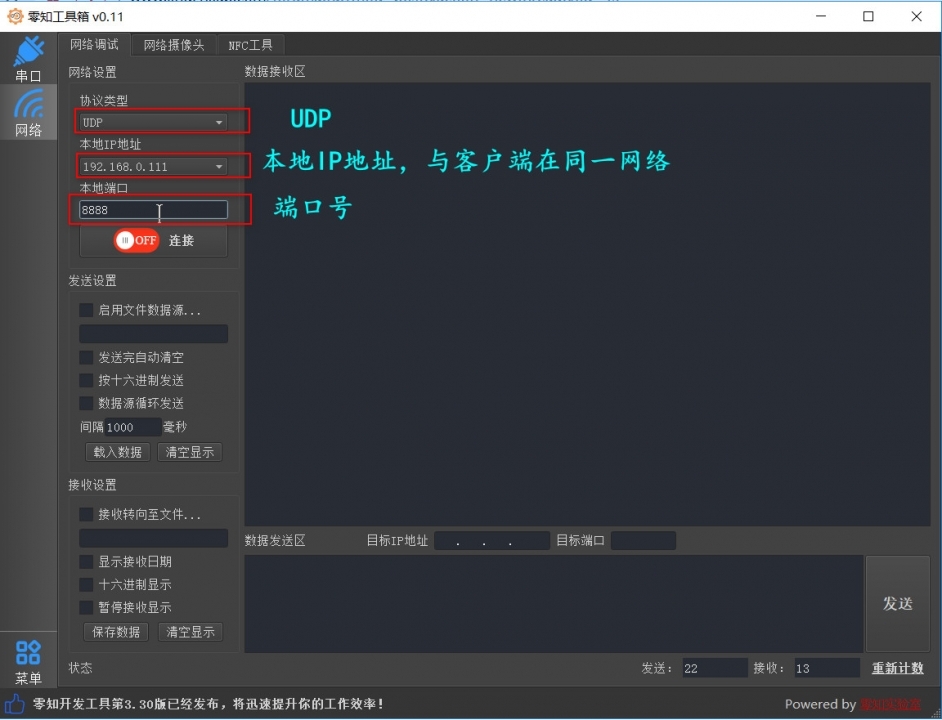
(3)現在打開零知工具箱(可以在“軟件下載”頁面下載),然后打開“網絡調試”界面,選擇UDP模式并選擇UDP的IP和端口號,如下:
TIP:零知工具箱請在零知實驗室官網下載哦
3、測試驗證 在零知工具箱中,點擊【連接】,然后就可以和零知ESP8266開始通信了,我們在發送窗口填寫發送的信息,點擊【發送】,可以看到如下信息,表明通信雙方成功:
更多精彩請訪問零知官網 |