標題: error: #256: invalid redeclaration of type name "s32" (declared at [打印本頁] 作者: qinqin 時間: 2015-6-9 02:18 標題: error: #256: invalid redeclaration of type name "s32" (declared at 在編譯時,遇到如下錯誤提示D:\Keil\ARM\INC\ST\STM32F10x\stm32f10x_type.h(26):error: #256: invalid redeclaration of type name"s32" (declared at line 312 of"D:\Keil\ARM\INC\ST\STM32F10x\stm32f10x.h")讓菜鳥我很是頭痛,找了好多網頁解決不了問題,最后瀏覽到了51hei給的提示:
重復定義了。
估計你包含了stm32f10x_lib.h又包含了stm32f10x.h,導致這個情況。
這兩個,你只能選一個的。
這樣我開始了,艱苦的尋找在哪里包含了這兩個文件,在主函數里發現了stm32f10x.h頭文件,如下所示
解決方案1.1:
關于stm32f103報錯:error: #256: invalid redeclaration of type name"s32",我也來說兩句吧。
這個具體來說是因為引用了自己建的固件庫,但是沒有配置路徑,要把工程的路徑配置為當前文件夾,
可以在keil里面建好的工程里,右擊target 1,點擊第一個選項“option for targer"targer 1"”,在"C/C++"選項卡里的“Include Paths”一欄里加入你當前自己編輯的固件庫路徑,我這邊的是“.\SRC;.\Libraries\STM32F10x_StdPeriph_Driver\inc;.\Libraries\CMSIS\Core\CM3”,大家可以參考一下,這里面有里有3個文件夾,輸入好后,按“ok”按鈕,重新編譯下,應該就可以了。
解決方案3:
在ST官網上下的固件包,用STM32F10x_StdPeriph_Lib_V3.4.0/Project/STM32F10x_StdPeriph_Template里的工程,編譯正確。以下嘗試了兩種新建工程的方法,均失敗:
1。 將固件包里的例程和相應的CMSIS、StdPeriph_Driver拷到工程下,修改target options里的C/C++ include paths項為“../;../Src/App;../Src/CMSIS;../Src/Lib”,編譯報錯“D:/Keil/ARM/INC/ST/STM32F10x/stm32f10x_type.h(23): error: #256: invalid redeclaration of type name "s32" (declared at line 470 of "Src/App/stm32f10x.h")”等。
2。 若在工程中添加的文件為固件包中的鏈接(而不是拷貝),完全按照template里的結構,并將include paths按照template進行修改,編譯報錯“Keil/ARM/INC/ST/STM32F10x/stm32f10x_conf.h(147): warning: #47-D: incompatible redefinition of macro "HSE_Value" (declared at line 511 of "STM32F10x_StdPeriph_Lib_V3.4.0/Libraries/CMSIS/CM3/DeviceSupport/ST/STM32F10x/stm32f10x.h")”等。
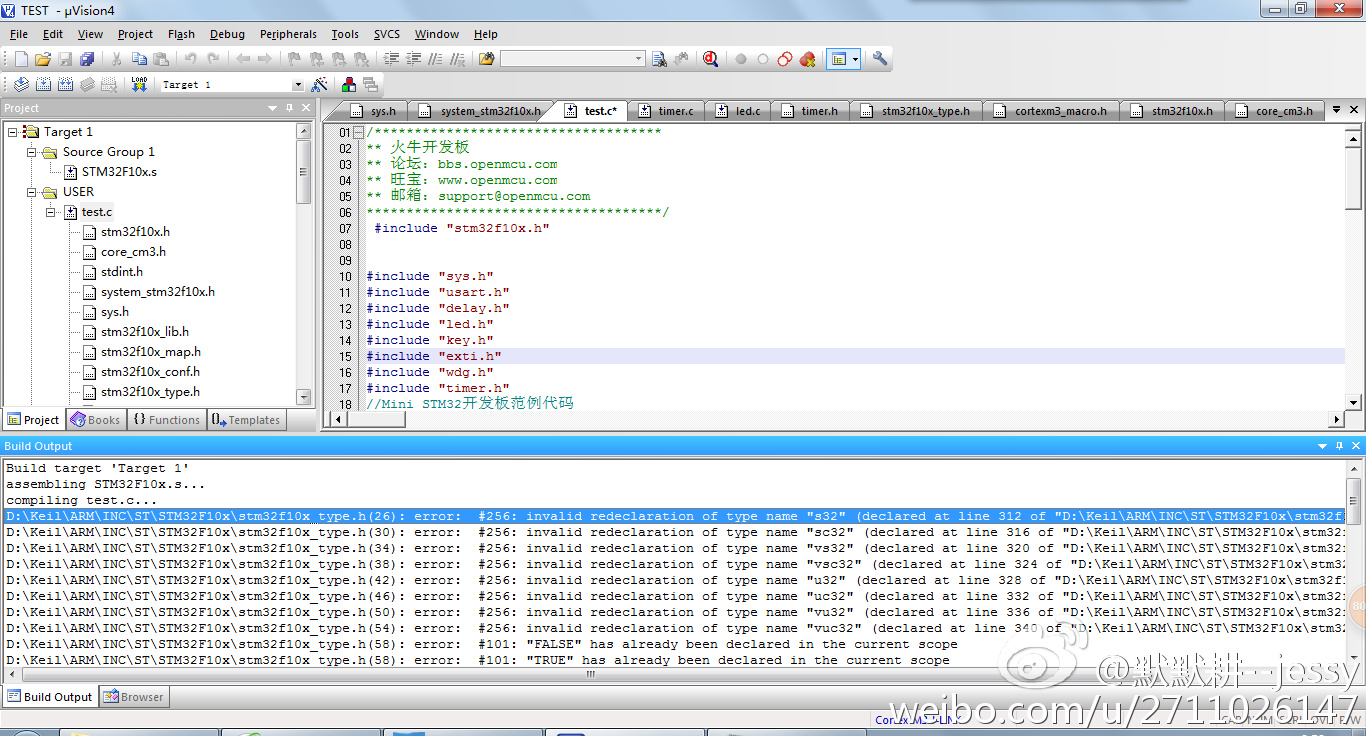
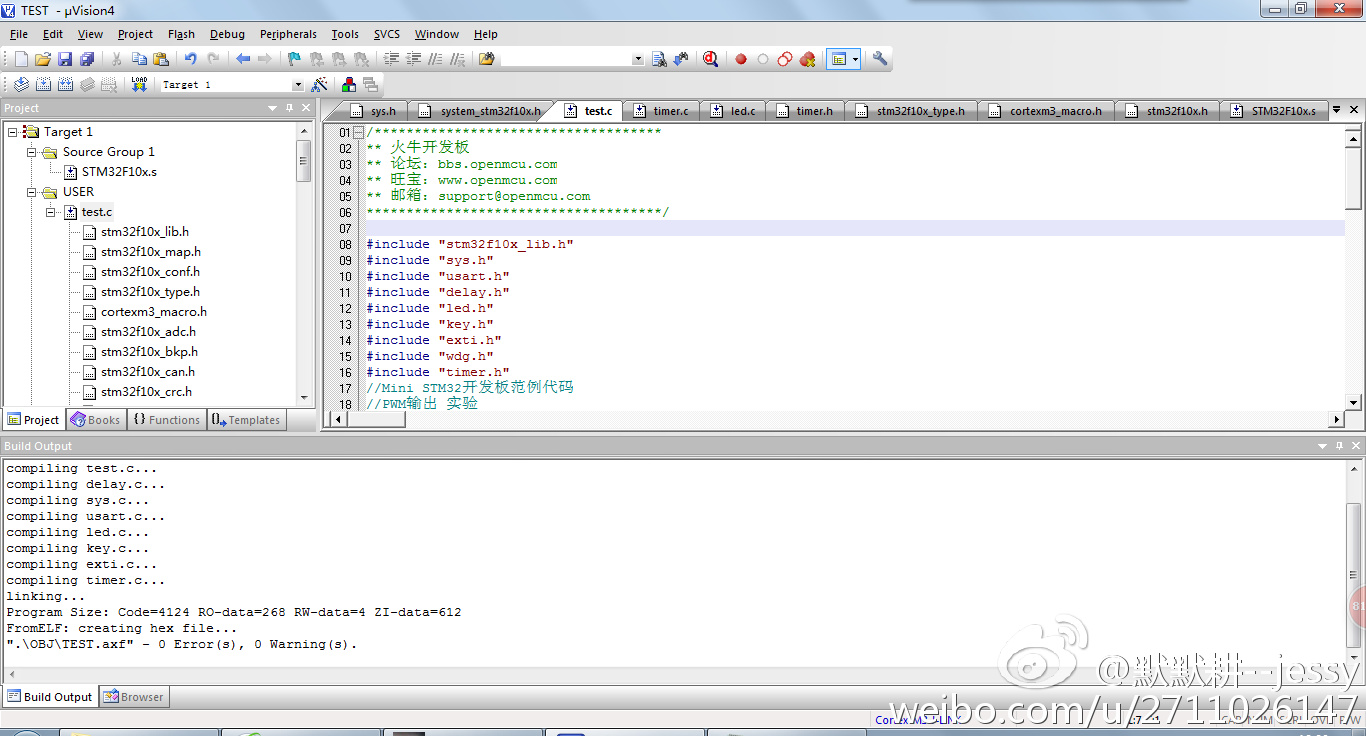 開心,僅為像我一樣的菜鳥提供一個解決方法。